LingoLingo
Language Learning with YouTube#
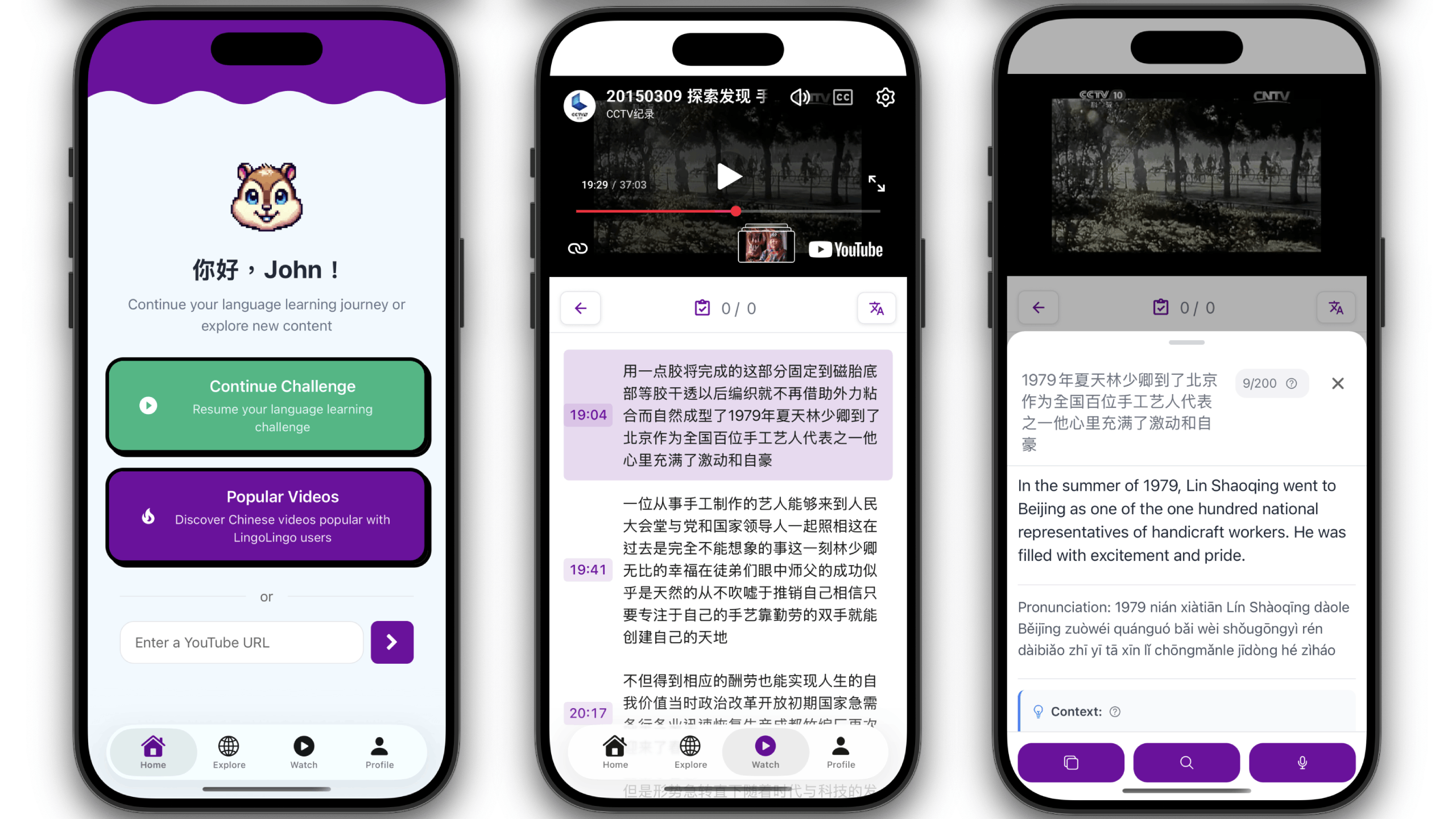
LingoLingo is my current passion project and combines many of my interests: language learning, user interfaces, data mining and thoughtful AI integration grounded in real-world data.
Origin#
I don’t know how far the original idea dates back, but I remember some 15 years ago I was heavily into flashcards for learning Mandarin. I would save new words that I encountered and add them to a flashcards app on my phone (“Flashcard Deluxe” if you’re curious, which is still around and getting updated regularly). The spaced repetition afforded by these apps was super effective for me.
One reoccuring pain point was adding context to flashcards, to remind me where I encountered a word and how it was used. I remember watching Chinese videos on my laptop and taking photos of the screen using my phone, to at least have a still image as a reminder. This was of course cumbersome and time-consuming, but there simply wasn’t any tool that made this easier. And personally I was nowhere near of being able to create a tool like this myself.
Fast forward to 2025, I have the necessary skills to create software and LLMs at my fingertips to help with prototyping. My Chinese has become a bit rusty since graduating, but this is the perfect opportunity to develop something that helps me get back into it.
Browser Extension#
My initial idea was capturing video snippets and embedding them into flashcards. This is relatively easy in the browser, since the YouTube player is implemented as a HTMLVideoElement, which can be used with a MediaRecorder object to save the actual video stream.
The video snippet is then persisted locally, with the option to either export your cards to the flashcard app Anki, or studying the cards in the extension.
I used the WXT framework to write the extension and posted it to reddit, where it received positive feedback, which inspired me to develop this idea further.
LingoLingo App#
Once the extension was stable, I started experimenting with a mobile app. React native seemed like an obvious choice for that. Not having worked with this framework before, this was also the first time that I heavily relied on LLMs for the coding. I quickly learned though that the MediaRecorder approach wouldn’t work on mobile, since it’s not supported by mobile browsers. Of course, that didn’t stop the coding agent to happily implement the exact approach from the extension and then tell me that I was “absolutely right”, that this wouldn’t work and that it was a bad idea to hard-code dummy data instead..
At least I was able to test different approaches quickly, and after finding 10 ways of NOT capturing YouTube streams, I settled with just embedding the iFrame with a start time and auto-stop, to play exactly the segment that the user had saved.
More info coming soon!